Shopify POSRight at the register
KARGO / RETURNS & TRANSFERS
Returns & transfers · Shopify POS
A Shopify transfer
in 30 seconds from POS.
Scan, validate: Kargo does the rest.
✓ Scanner or camera✓ Real Shopify transfers✓
7-day trial
SHOPIFY POS · KARGO•••
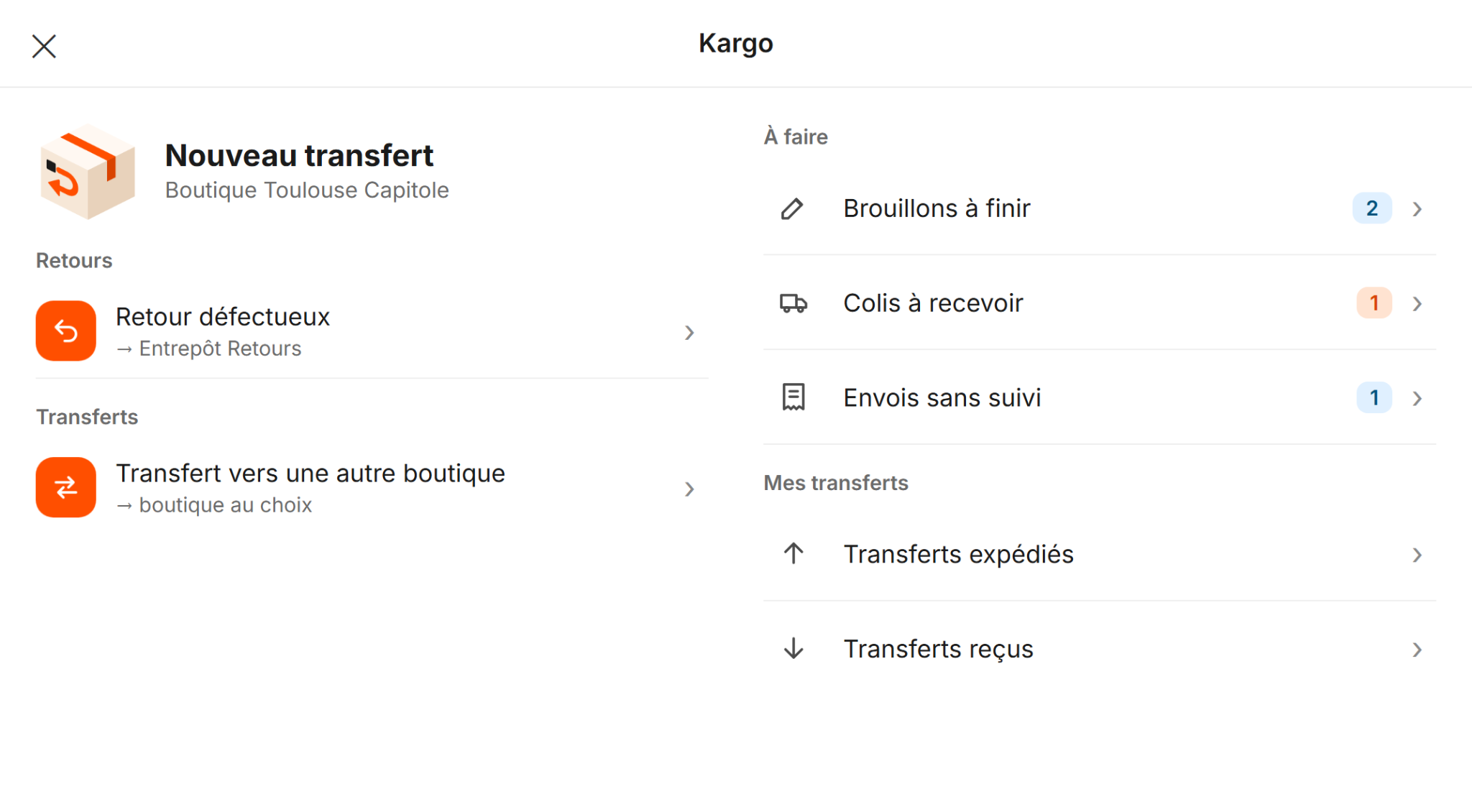
Kargo POS home
Returns & transfersYour operations, your rules
Parcel trackingFrom shipment to reception
Multiple storesOne store or a network
01Everyday store operations
The box is ready.
So is the transfer.
A defective return, a restock, a shipment to another store: your team creates the transfer where the products are, directly in Shopify POS.
Three steps.
Ready to go.
Choose
Open Kargo on the register and choose an operation. The destination can be preset or selected by the staff member.
Scan
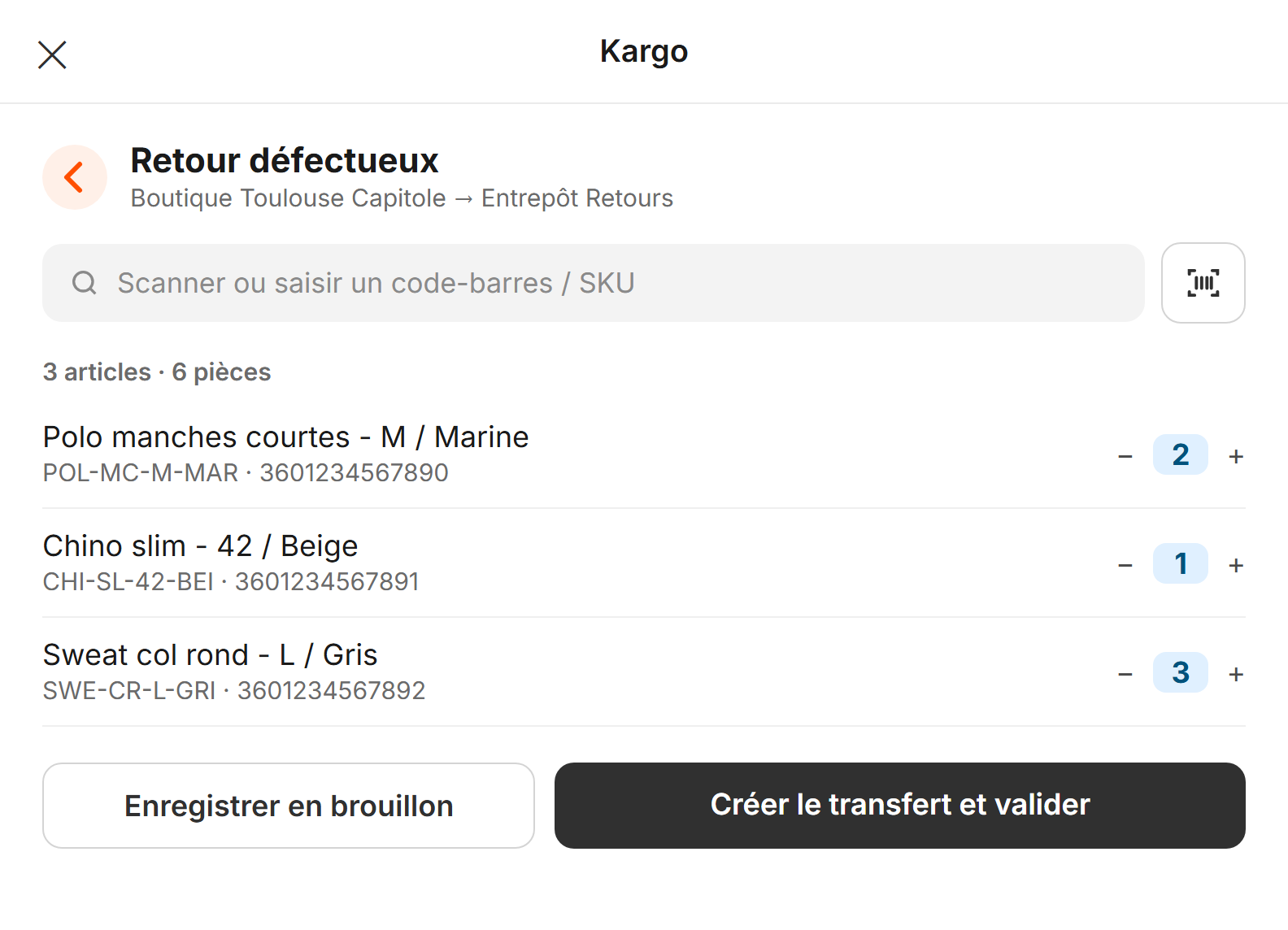
Add products with a barcode scanner, the camera or a barcode / SKU. Adjust the quantities.
Validate
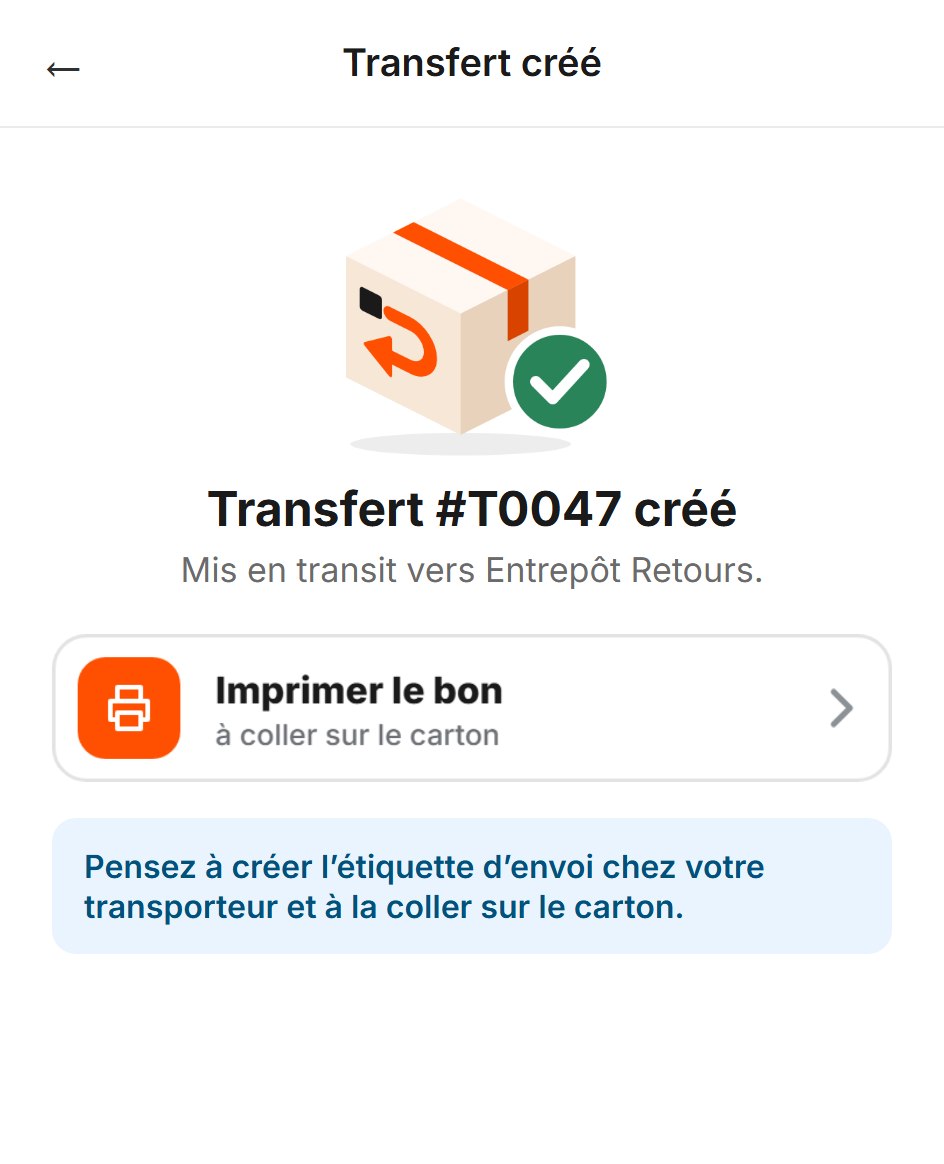
Create the Shopify transfer, print the slip and add parcel tracking. Save unfinished boxes as drafts.
At the register
A defective return?
Scan, validate.
- Use a scanner or camera directly in Shopify POS
- A preset destination: no searching needed
- A real Shopify transfer, ready to ship
- Save an unfinished box as a draft
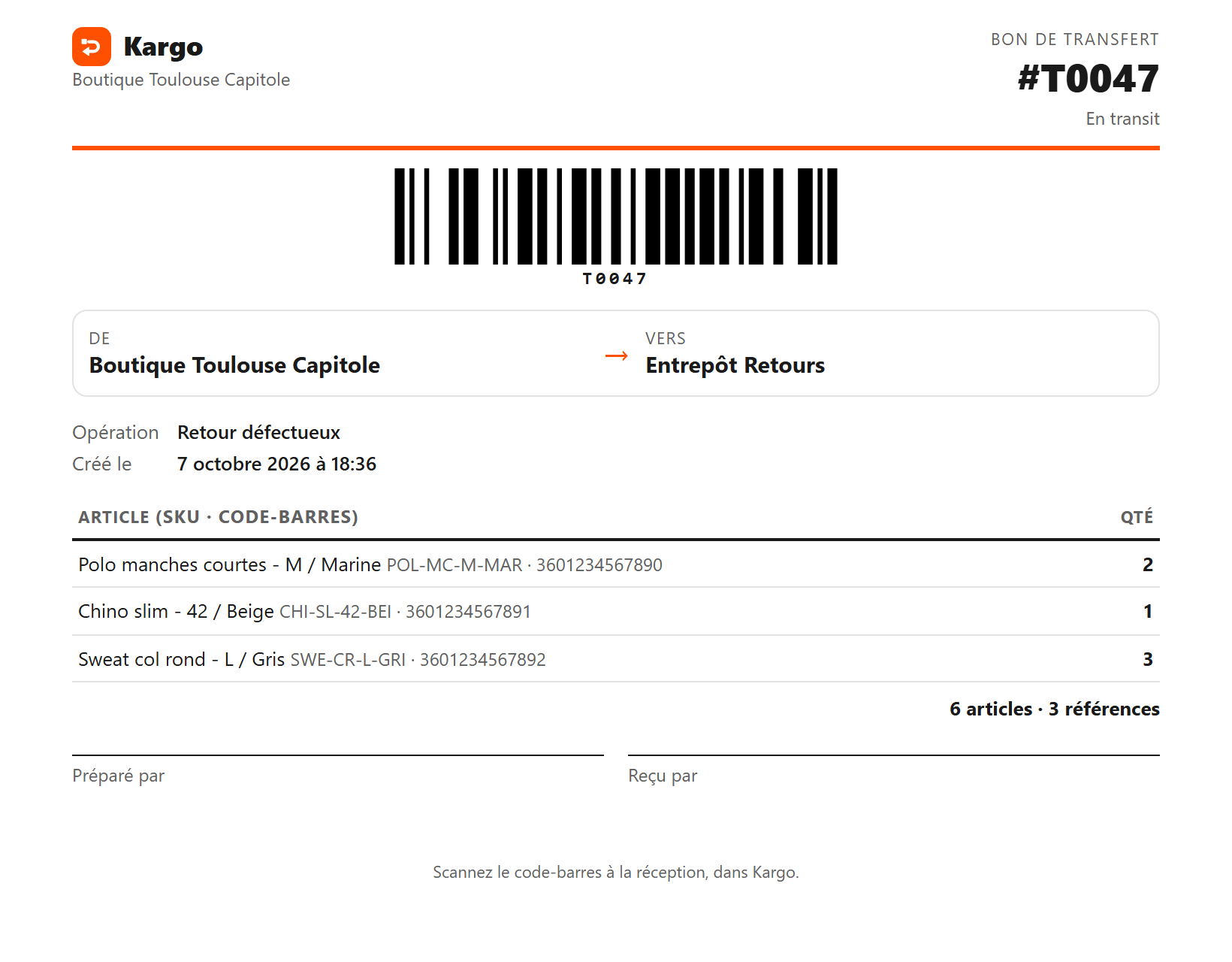
Transfer slip
The slip on the box.
The transfer in Shopify.
- Print a transfer slip with its barcode
- Or write down the transfer number: your choice
- Add the carrier tracking number at the register
Overview & tracking
Everything leaving.
Everything arriving.
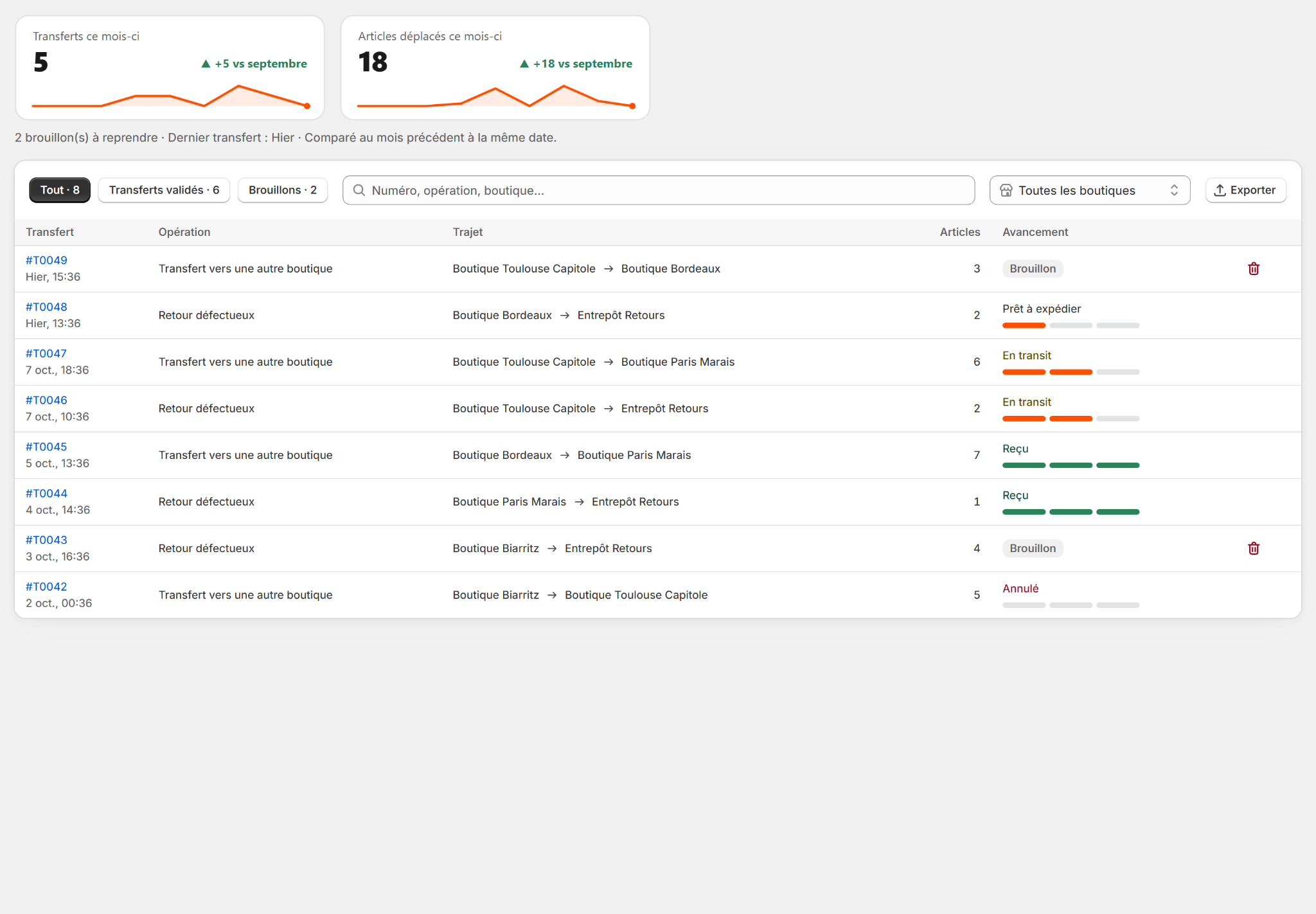
- Follow each transfer from creation to reception
- Parcel tracking and transfer slips, one click away
- Excel export for your inventories
Your workflow
Your rules.
In a few clicks.
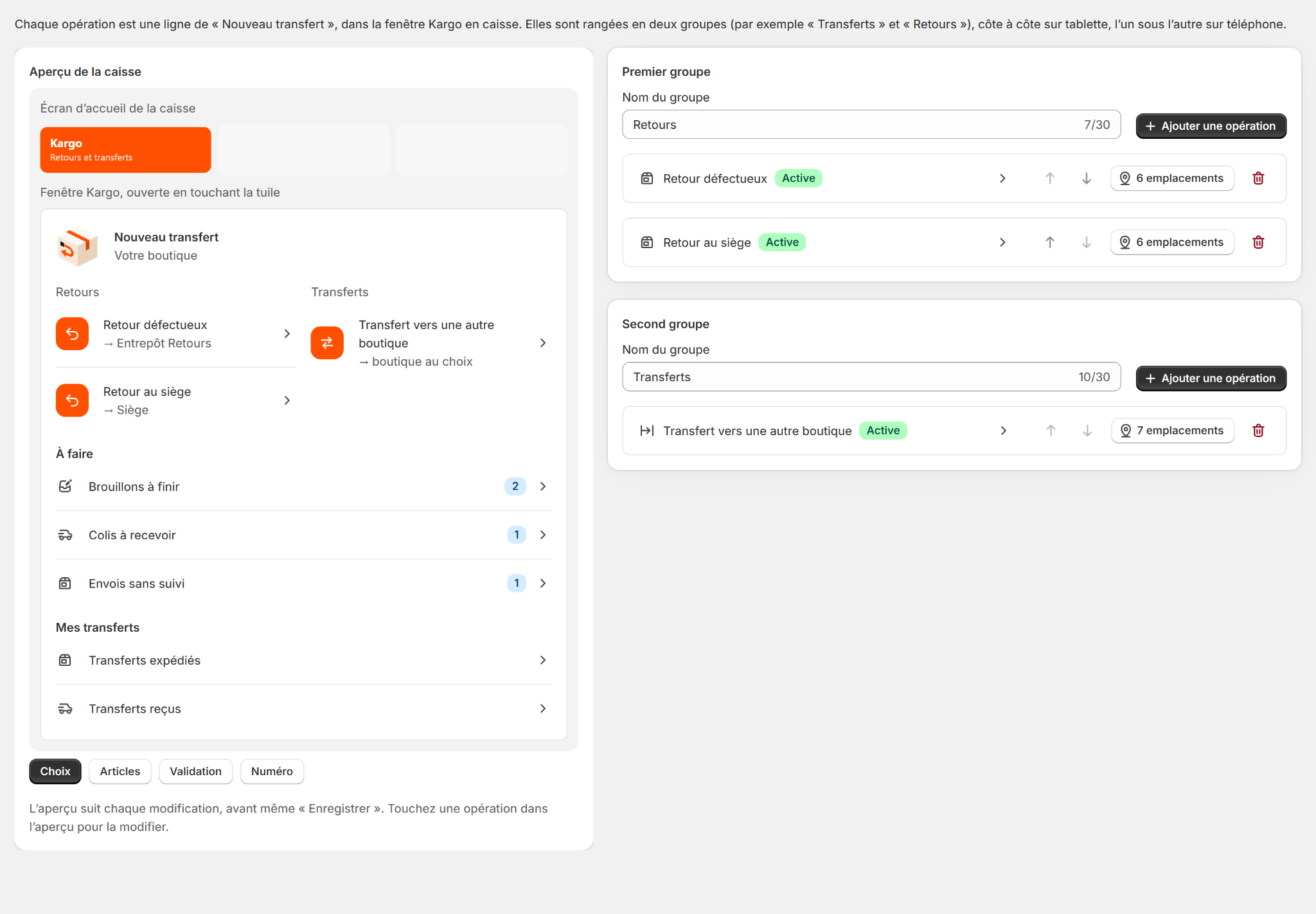
- Your operations: defective returns, restocking, warehouse returns
- A fixed destination or one selected by staff
- The POS preview updates as you configure it
Your network
One store.
Or a whole network.
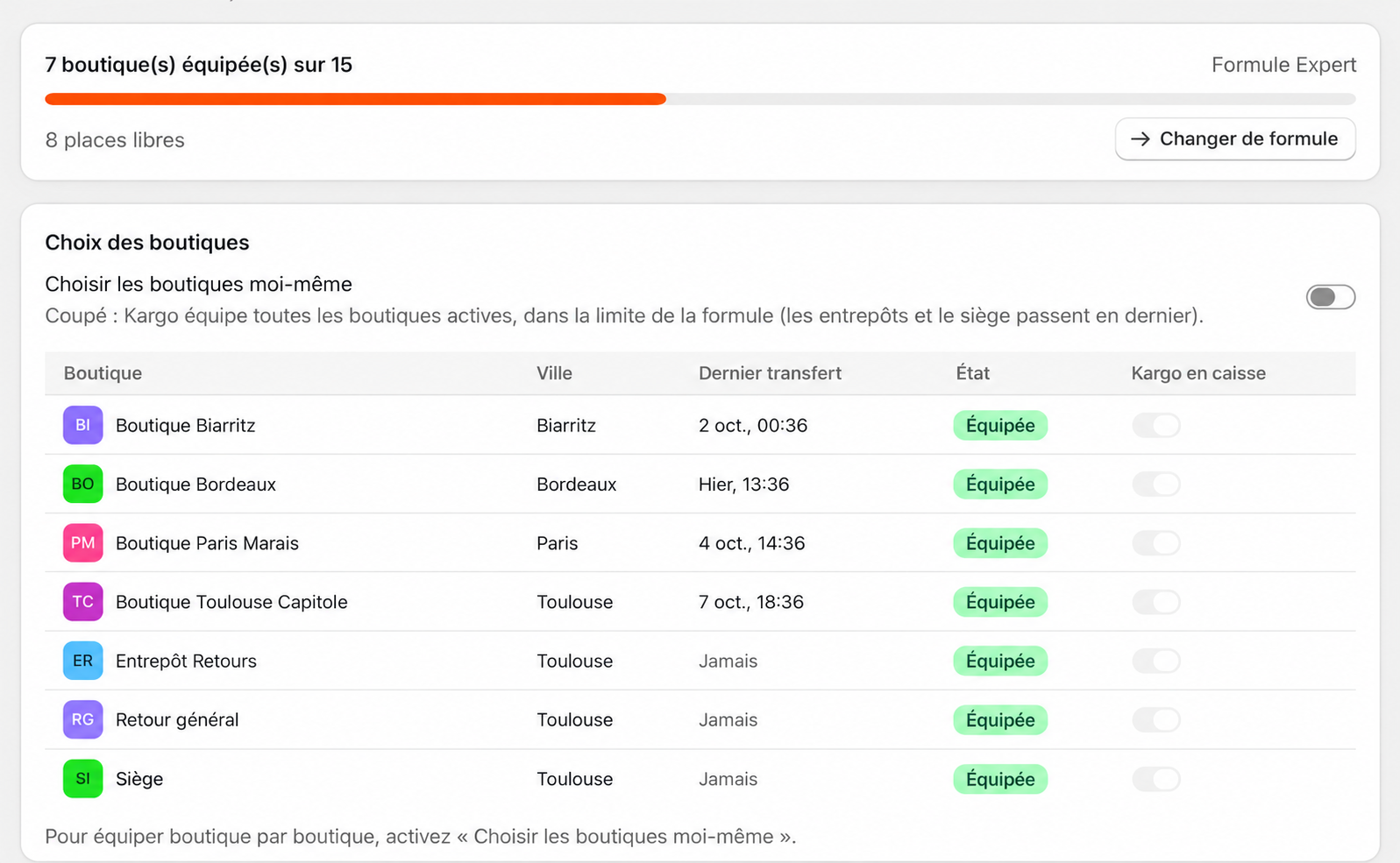
- Enable all stores or choose them individually
- Incoming parcels are counted on the POS tile
- The app is available in French and English
Plans
The right plan.
For your network.
Every feature in every plan.
7-day trial. Prices in USD per month.
5 stores
Pro
9.99USD / month
7-day trial
- 5 equipped stores
- Unlimited returns
- Unlimited transfers
- Transfer history
- Saved drafts
- Custom operations
- Live preview
- French and English
15 stores
Expert
29.99USD / month
7-day trial
- 15 equipped stores
- Unlimited returns
- Unlimited transfers
- Transfer history
- Saved drafts
- Custom operations
- Live preview
- French and English
50 stores
Enterprise
49.99USD / month
7-day trial
- 50 equipped stores
- Unlimited returns
- Unlimited transfers
- Transfer history
- Saved drafts
- Custom operations
- Live preview
- French and English
Custom · More than 50 stores
Contact us
Your plan is based on equipped stores, not the number of registers.
FAQ
Answers
before you ship.
Does Kargo work in Shopify POS?
Yes. Your team starts returns and transfers directly from the Kargo tile in Shopify POS.
Are these real Shopify transfers?
Yes. Kargo creates transfers in Shopify, which you can follow through to reception.
Can I finish a transfer later?
Yes. Save it as a draft when your box is unfinished, then resume from the register.
Is the destination fixed?
You configure your operations. Each can have a fixed destination or allow staff to choose the destination store.
Does Kargo create carrier shipping labels?
Create shipping labels with your carrier. Kargo provides a transfer slip and lets you add the tracking number.
Can I install Kargo already?
Publication on the Shopify App Store is coming soon. An installation link will be added when the app listing is available.

Your stock moves.
Your team moves forward.
Returns and transfers, directly from Shopify POS.
Coming soon to Shopify
Coming soon to the Shopify App Store.